


My 2nd Line Text Call Number
4.4767.00 Reviews
App Specs
- Version
- 1.3.15
- Updated On
- License
- Free
- Downloads
- 1,000,000+
- Developer
- AutoBizLine, Inc.
- Categories
- Communication
- Platform
- Android, iOS
Screenshots
 Analysis by AppCompare
When I need to keep a new conversation separate from the number friends and family already use, I want a simple way to manage that boundary without carrying a second handset. That is the practical problem My 2nd Line Text Call Number is meant to address: it puts another number for texts and calls in an app, giving me a distinct contact point for work, side projects, or situations where I would rather not share my main number. The useful question is not just whether a second line sounds convenient, but whether it fits the way I actually communicate.
I would treat a second number as a boundary, not as a promise of complete anonymity. It can help keep a primary number out of routine exchanges, but anything I send from the second line still represents me, and I would be careful about where I share it. That distinction matters for marketplace chats, new client inquiries, and online accounts: separating incoming contact is helpful, while sound judgement about personal information still does the real privacy work.
Choosing the right job for a second line
The clearest fit is someone who wants one number for a defined stream of communication. A freelancer could put it on a simple business card or use it when replying to prospective clients, then keep personal calls on the usual line. A person selling belongings locally could share the app’s number with interested buyers instead of distributing a main number to strangers. In both cases, the benefit is less about having another phone and more about making it easier to recognize what a call or message is likely to concern.
That separation works best when I give the number a specific purpose and stick to it. If I hand it out for client work, event planning, and every sign-up that asks for a phone number, the second line can become just as noisy as the first. A small habit helps: decide who should get the number before sharing it, and review whether new contacts belong in that channel. It is an ordinary workflow choice, but it is what makes a second line useful over time.
It is less compelling for someone who only needs an occasional extra contact method and does not mind sharing their main number. It is also not a replacement for a full business phone system when a team needs shared ownership, formal call routing, or a centrally managed customer-service process. I would choose an app-based second number for personal control and convenience, not assume it includes the wider tools of a dedicated workplace phone setup.
Getting Started with My 2nd Line
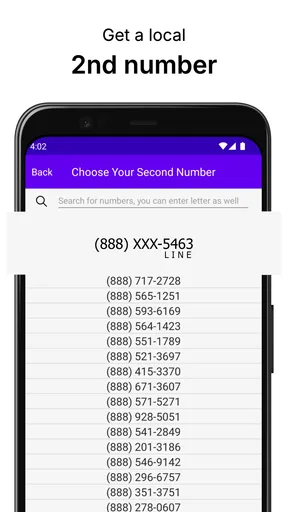
The setup process for My 2nd Line Text Call Number is as smooth as butter. Once you download the app, you're greeted with a clean, user-friendly interface. Just sign up with your email, and you're off to the races. The app assigns you a real US or Canadian phone number, which is perfect for those of us who need to maintain a professional presence.
What's awesome is that you can choose your area code, which is a nifty feature if you're aiming to appear local to your clients. This small touch goes a long way in establishing trust and building relationships, particularly if you're running a business.
Worth Reading Before You Choose

EA SPORTS FC Mobile 26 Is a Bigger Football Game, but It Takes Time

Flipboard Shows What News Apps Must Do Beyond the Feed

Switching to Android Auto Means Rethinking Your Driving Routine

Google Calendar Makes a Crowded Week Easier to Manage

Ludo King Makes the Most of the Minutes Between Plans

Baby Panda World Brings Quick Play to Modern Phones, but Its Game Library Feels Busy
Features That Make Life Easier
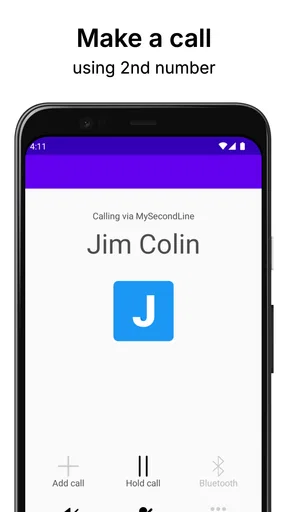
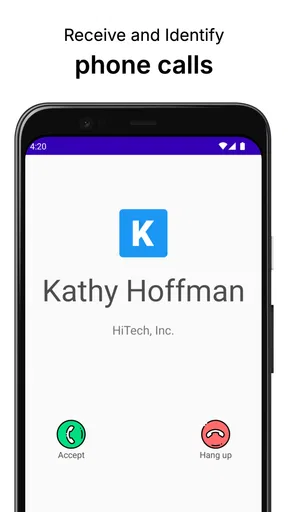
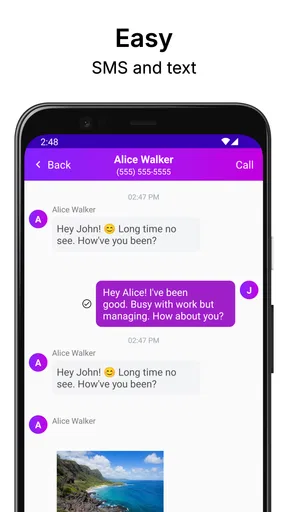
Now, onto the features. The app offers texting and calling capabilities just like your regular phone number. You can send text messages, make voice calls, and even send pictures. The call quality is surprisingly crisp, and the texts go through without a hitch.
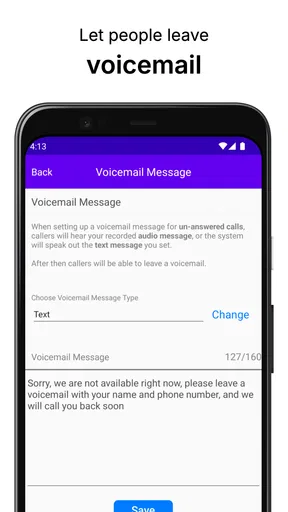
One standout feature is the voicemail function. You can personalize your voicemail, which is a nice touch for business users. Plus, the app transcribes voicemails into text, so you can quickly skim through messages when you're in a rush.
The app also supports group messaging. This is particularly useful if you're coordinating with a team or organizing an event and need to keep everyone in the loop. It's like having a mini command center in your pocket.
A daily workflow, from first contact to follow-up
Imagine I am arranging a small weekend project and do not want every participant contacting my personal number long after it ends. I can share the second number for planning, use text to settle a time or send a picture, and make a call if a quick conversation is easier than a long message thread. If someone leaves a voicemail while I am occupied, the transcription gives me a way to scan the gist before deciding whether to call back. The thread stays associated with that separate contact route rather than becoming another reason to hand out my everyday number.
For a freelancer, the same sequence can be more deliberate: use the second number on a quote or inquiry, reply to a new lead, and give a suitable voicemail greeting so callers know they have reached the right person. The practical tip is to make the greeting clear about when and how you tend to respond, rather than imply round-the-clock availability. A second number can create a professional boundary, but it only helps if I maintain that boundary in how quickly I answer and what I promise.
Group messaging is useful when several people need the same update, but it is not automatically the best channel for every handoff. If a decision needs a record everyone can find later, email or a shared work tool may be easier to search and organize. I would use the app for quick coordination and direct replies, then move longer plans or documents to the place where the group already keeps them. That keeps the second line from becoming an improvised project archive.
Keeping It Professional and Private
One of the biggest perks of My 2nd Line is the privacy it offers. With scammers and telemarketers lurking around every corner, having a second number helps keep your primary number secure. You can give out your second number for online forms, work-related communication, or even dating apps, without worrying about unwanted calls on your main line.
The app also provides call blocking and the ability to mute notifications during specific hours, so you can focus on what’s important without distractions. This feature is a game-changer for those who value their "me time."
Boundaries, handoffs, and the small trade-offs
Muting notifications at chosen hours is particularly useful when the line serves clients or people arranging an event: it lets me decide when I want interruptions, instead of treating every incoming message as urgent. Call blocking can help with unwanted contact, but I would not rely on a second number to prevent spam altogether. If a number is shared widely, unwanted calls can still become a nuisance; using it selectively is a more durable first step than expecting blocking to solve every problem.
There is also a handoff to think about when someone else needs to take over a conversation. Group messages can include the people involved in coordination, but a second line on one person’s phone should not be mistaken for a shared team inbox. If continuity matters when I am away, I would make sure the other person has the relevant details through an agreed channel instead of assuming they can see the app’s messages or voicemail. This is an important distinction for a small business: useful for individual communication, not automatically a team-wide system.
Another everyday consideration is the recipient’s expectations. A second number can appear more local when its area code suits the people I contact, but that is not a substitute for being clear about who I am. I would introduce myself in the first message and keep the number consistent for the purpose I chose. Switching between personal and secondary numbers mid-conversation can confuse someone who does not know both are mine.
Seamless Integration and User Experience
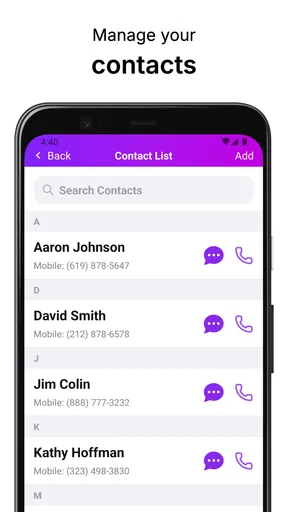
Integrating My 2nd Line with your existing system is straightforward. The app syncs seamlessly with your contacts, so you don’t have to manually enter numbers. It's also compatible with both Android and iOS, meaning you can switch devices without losing your second number.
The user experience is intuitive, with everything neatly organized and easy to access. Whether you're a tech whiz or not-so-tech-savvy, you'll find navigating this app a breeze.
How it compares with the usual options
Compared with carrying a second handset, an app-based line is the simpler choice when my goal is to keep separate numbers together on one device. A second phone can be more appropriate when I need a physically separate work device or do not want work calls and personal use on the same handset. Compared with giving every contact my existing number, the extra line offers a useful buffer and makes it easier to sort incoming communication by purpose.
It also occupies a different place from ordinary messaging apps. Those are often convenient when both people already use the same service, but they do not necessarily give me a distinct phone number for calls and texts. Conversely, someone who needs only occasional messages may find a new line unnecessary. The choice comes down to whether people need to reach me through a phone number and whether keeping that traffic separate is worth managing another inbox.
Before relying on the number for an important ongoing relationship, I would test the workflow with a trusted contact: send a message, make a brief call, and check that notifications and voicemail fit my routine. I would also look at the current in-app purchase options before making it part of a long-term work process. The app is free to download, but its in-app purchases range from $0.99 to $399.99 per item, so I would check what any paid choice covers rather than assume every useful capability is included at no cost.
Who should choose it—and where the flow breaks
This communication app is developed by AutoBizLine, Inc. It has a 4.6 average from around 21,000 ratings, with over a million installs and 701 written reviews. It is listed for everyone, and its current version is 1.3.03; the listed minimum operating-system requirement is 7.0. Those details make it easy to place the app, but they do not change the main decision: whether a second number solves a recurring problem in my own routine.
I would recommend trying it if I were a solo service provider, a person arranging local sales, or someone who wants a separate number for a specific personal project. I would skip it if I rarely receive calls, already have a reliable work line, or need several people to share calls and customer history. It is also a poor fit if I expect a second number alone to guarantee privacy, stop spam, or keep me available without effort. The number is a useful boundary, not a substitute for managing one.
The flow can break at the points where a contact expects the familiar number, where I forget to check the second inbox, or where a conversation needs to move into a more organized system. A practical fix is to tell important contacts which number to use, keep notifications suited to the purpose of the line, and avoid splitting one active conversation across two numbers. If I am using it for a temporary project, I should also think ahead about how I will tell people that the project has ended, rather than leave them guessing when replies stop.
Final Thoughts
In a world where staying connected is crucial, My 2nd Line Text Call Number offers a practical solution for managing communication efficiently. Whether you're a freelancer, a small business owner, or just someone who values privacy, this app is worth considering. It delivers on its promise of providing a reliable second line, enhancing both personal and professional interactions.
So, if you’re in the market for a secondary number without the fuss of another phone contract, give My 2nd Line a whirl. It's like having a personal assistant right in your pocket, ready to handle calls and messages while you focus on the bigger picture.
Pros
- Easy setup and user-friendly interface.
- Affordable pricing plans for calls.
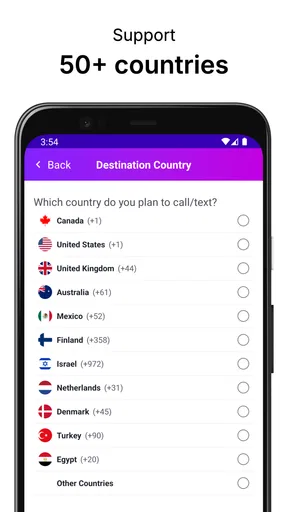
- Supports international calling options.
- Offers voicemail and call forwarding.
- No need for a second SIM card.
Cons
- Limited customization for voicemail greetings.
- Occasional call quality issues reported.
- Requires stable internet connection.
- Ads present in the free version.
- Some features locked behind paywall.
FAQs for My 2nd Line Text Call Number
What is My 2nd Line Text Call Number?
My 2nd Line Text Call Number is an app that provides users with a second phone number on their existing device. This allows you to separate personal and business communications without needing a second phone. The app supports texting and calling, making it ideal for managing different aspects of your life efficiently.
How does My 2nd Line Text Call Number work?
The app works by assigning you a new phone number that operates over your phone’s internet connection. Once installed, you can use this second line to make calls and send texts just like you would with your primary number. It's a simple and convenient way to keep your communications organized.
Is My 2nd Line Text Call Number secure to use?
Yes, My 2nd Line Text Call Number is designed with user security in mind. It uses encryption to protect your calls and messages. However, as with any app that handles personal data, it's important to use strong passwords and be mindful of the information you share through the app.
Does My 2nd Line Text Call Number require a subscription?
My 2nd Line Text Call Number offers both free and paid subscription options. The free version includes basic features, while the subscription unlocks additional functionalities such as ad-free experience, unlimited calling, and premium customer support. Check the app’s pricing details for more information on subscription plans.
Can I use My 2nd Line Text Call Number internationally?
Yes, My 2nd Line Text Call Number can be used internationally, but it depends on the specific features of your subscription plan. Some plans offer international calling and texting, while others may have restrictions. Ensure you review the terms of service to understand any additional charges that may apply when using the app abroad.


